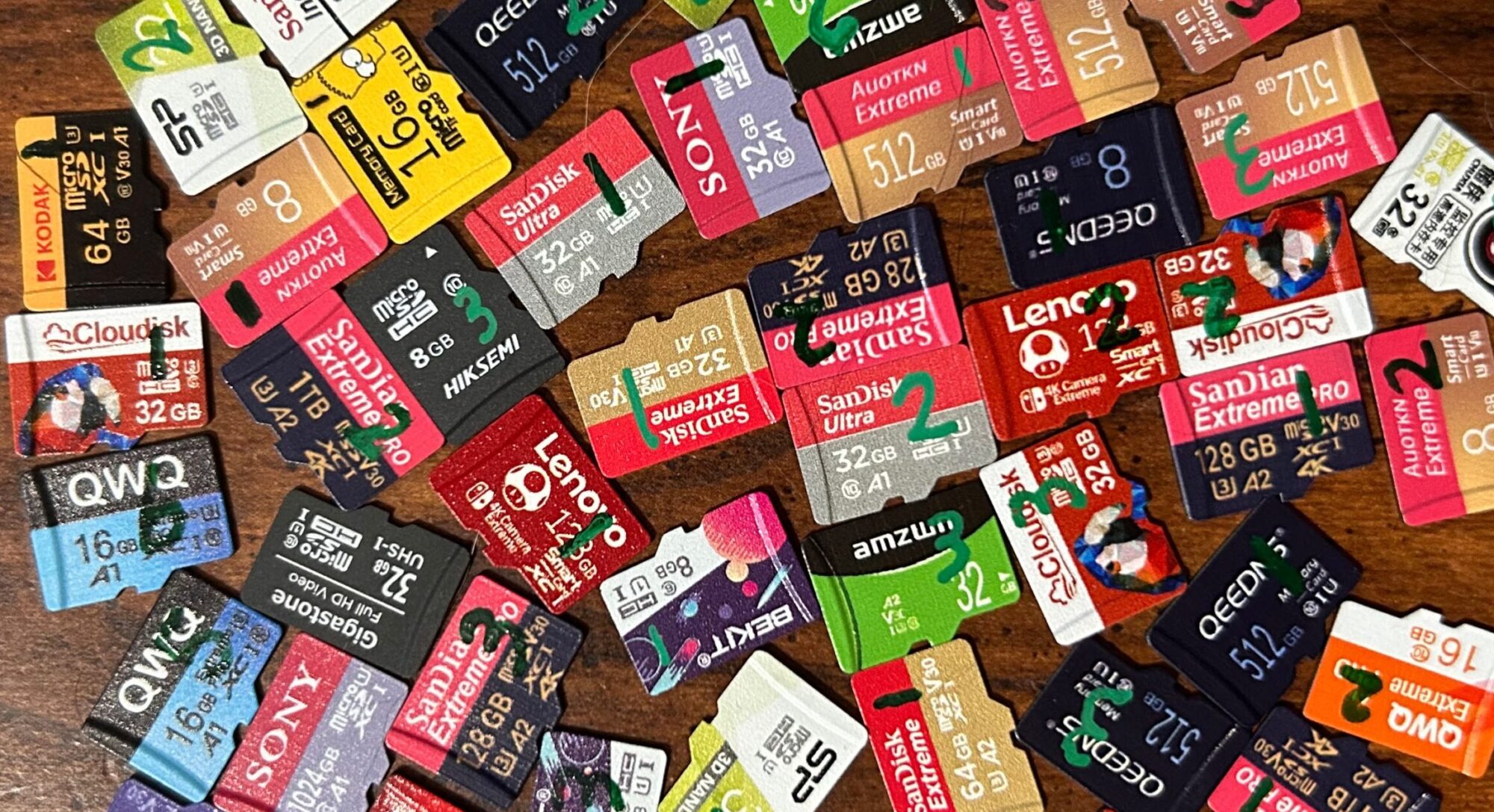
Choose a card:
Performance Stats
0
Cards tested
Average Sequential Read SpeedThe average speed at which the card was able to read data in a sequential fashion. Cards were tested by attempting to read as much data as possible, in a linear fashion starting at the beginning of the card, over a 30-second period. Cards were tested using a USB 3.0-enabled card reader.
Average Sequential Write SpeedThe average speed at which the card was able to write data in a sequential fashion. Cards were tested by attempting to write as much data as possible, in a linear fashion starting at the beginning of the card, over a 30-second period. Cards were tested using a USB 3.0-enabled card reader.
Average Random Read SpeedThe average speed at which the card was able to read data from the card in a random fashion. Cards were tested by attempting to perform as many 4KB read operations as possible, from randomly selected 4KB-aligned locations across the entire card, over a 30-second period. Cards were tested using a USB 3.0-enabled card reader. It should be noted that (a) this method of random testing does not follow the SD specification's prescribed method for Application Performance Class testing, and (b) the card readers I use do not support command queueing, which is required for Application Performance Class 2 (if the card supports it). Therefore, if a result indicates that card does not meet the results of a given Application Performance Class, it should not be taken as an indication that the card does not qualify for that Application Performance Class.
Average Random Write SpeedThe average speed at which the card was able to write data to the card in a random fashion. Cards were tested by attempting to perform as many 4KB write operations as possible, from randomly selected 4KB-aligned locations across the entire card, over a 30-second period. Cards were tested using a USB 3.0-enabled card reader. It should be noted that (a) this method of random testing does not follow the SD specification's prescribed method for Application Performance Class testing, and (b) the card readers I use do not support command queueing, which is required for Application Performance Class 2 (if the card supports it). Therefore, if a result indicates that a card does not meet the requirements of a given Application Performance Class, it should not be taken as an indication that the card does not qualify for that Application Performance Class.
= Below 50th percentile = 50th to 75th percentile = Above 75th percentile
Endurance Stats
0
Cards currently in testing
0
Cards completed testing
Average Rounds CompletedThe average number of read/write cycles that the selected model of card has completed so far. A read/write cycle consists of two passes: in the first pass, the entire user area of the card is overwritten with random data; in the second pass, the data is read back and compared to what was originally written.
Average Time in Testing
Time to First FailureThe number of read/write cycles a card was able to complete before either (a) the first error that prevented the data from being read back, or (b) the first instance of a data mismatch (excluding instances where device mangling was confirmed). This does not include any cards that have not yet experienced their first error, but does include any cards that failed completely before experiencing their first error. While well-made cards (especially industrial-grade cards) tend to experience their first error later, I think that at least some of these errors may be due to issues with the card readers or the USB stack — therefore, I think that the "Time to 0.1% Failure" metric is a better indicator of a card's reliability.
0
Cards experienced first failure
Average Time to First Failure
Time to 0.1% FailureThe number of read/write cycles a card was able to complete before 0.1% of the sectors on the card were flagged as "bad". Sectors are flagged as "bad" if (a) an error occurs that prevents the data from being read back, or (b) if the data read back does not match the data originally written (and is not a device mangling error). This does not include any cards that have not yet reached the 0.1% failure threshold, but does include any cards that failed completely before reaching this threshold. This threshold was arbitrarily chosen, but is intended to reflect the point where a user would be likely notice that something was wrong with the card.
0
Cards reached 0.1% failure
Average Time to 0.1% Failure
Time to 1% FailureThe number of read/write cycles a card was able to complete before 1% of the sectors on the card were flagged as "bad". Sectors are flagged as "bad" if (a) an error occurs that prevents the data from being read back, or (b) if the data read back does not match the data originally written (and is not a device mangling error). This does not include any cards that have not yet reached the 1% failure threshold, but does include any cards that failed completely before reaching this threshold.
0
Cards reached 1% failure
Average Time to 1% Failure
Time to 10% FailureThe number of read/write cycles a card was able to complete before 10% of the sectors on the card were flagged as "bad". Sectors are flagged as "bad" if (a) an error occurs that prevents the data from being read back, or (b) if the data read back does not match the data originally written (and is not a device mangling error). This does not include any cards that have not yet reached the 10% failure threshold, but does include any cards that failed completely before reaching this threshold.
0
Cards reached 10% failure
Average Time to 10% Failure
Time to 25% FailureThe number of read/write cycles a card was able to complete before 25% of the sectors on the card were flagged as "bad". Sectors are flagged as "bad" if (a) an error occurs that prevents the data from being read back, or (b) if the data read back does not match the data originally written (and is not a device mangling error). This does not include any cards that have not yet reached the 25% failure threshold, but does include any cards that failed completely before reaching this threshold.
0
Cards reached 25% failure
Average time to 25% failure
Time to 50% failureThe number of read/write cycles a card was able to complete before 50% of the sectors on the card were flagged as "bad". Sectors are flagged as "bad" if (a) an error occurs that prevents the data from being read back, or (b) if the data read back does not match the data originally written (and is not a device mangling error). This does not include any cards that have not yet reached the 50% failure threshold, but does include any cards that failed completely before reaching this threshold.
0
Cards reached 50% failure
Average Time to 50% Failure
= Below 50th percentile = 50th to 75th percentile = Above 75th percentile
Whoops! Something went wrong while loading the data. Please try again later or try a different card.
Hello Matt
First of all: thank you so much for your excellent work!
So one question to above SD Card, Kingston industrial grade, 8GB: I see the Average Rounds Completed 92188. So when I look into the datasheet, I can see 30k P/E cycles, so your tests show over three times more. How can you explain that?
Another question concerns for your mfst tool on github: I tested it and it feels great! One thing that does not work for me is the datalogging to a mysql DB. I try with following:
mfst /dev/mmcblk1 -n –dbhost 10.12.1.22 –dbuser user –dbpass pass –dbname sdcard_mfst_test1 –cardname blue
=> no data is written to the DB. First I just defined a DB on my Server without tables, then I also tried it with your dump of a table mfst.sql. The logging is not working. After the above command it just hangs on my cli. If DB data arent correct your program starts at least with some output, and fails then because of the bad DB connection. Any idea?
Br. Reto
Hey Reto!
A couple of things to check:
Hey Reto!
I just realized that I completely skipped over one of your questions.
I think manufacturers make a risk assessment when deciding how many P/E cycles to rate a card for. What do I mean by that? Cards are going to last a variable number of P/E cycles. Let’s say you’re manufacturing a new card, and you have no idea how many P/E cycles to rate the card for. So you manufacture 100,000 of them, and you put them all through endurance testing. If you plot a histogram of the results, it’s going to look something like this:
E.g., about 80% of your cards will last well beyond 100,000 P/E cycles — but the remaining 20% won’t. A few will be dead on arrival or won’t even last 1,000 P/E cycles. (That’s unavoidable — it’s just a fact of life.) Now you’ve got a decision to make: if you rate these cards for 100k P/E cycles, you’re going to get a lot of complaints from customers when their cards don’t make it to 100,000 P/E cycles. You’re going to have a lot of returns to deal with and your reputation is going to take a hit. If you rate them too low, however — say, for only 5k P/E cycles — your product will be seen as an inferior product and it likely won’t sell very well. So the manufacturer tries to strike a balance between the two: if they rate the card for 30k P/E cycles, it keeps the expected number of returns to a manageable level while still making the product look good.
Long story short: I think Kingston knew that most of their cards would last well beyond 30,000 P/E cycles, but they set the bar at 30,000 to keep the number of defects to a manageable level.
Hello Matt thank you so much for your reply. I gonna test your inputs and will come back to you.
Br. Reto
Hey Matt! It looks like the sandisk industrial you tested was an MLC version. You said it was rated for 384TBW, but I think that’s for their 128gb version. Your 8gb card should have 1/16th the 128gb micro SD cards rated endurance, right? Doesn’t that mean it should just be rated for like…24tbw? Also, they have their Sandisk industrial SLC version. I saw Kingston’s industrial version is pSLC, it’d be interesting to see those two pitted against each other! I just looked up an article praising the reliability of pSLC, but it’d be interesting to see the difference against real SLC.
Hey Isaac!
I guess that’s a fair point — the data sheet does say “Up to 384 TBW”. I wish they’d get more specific than that and list out the expected endurance for each size. But anywho…
The Kingston Industrial’s are doing really well! Occasionally they will have address decoding errors that affect 4 sectors at a time (that’s where two sectors mysteriously swap places with two other sectors) — but it hasn’t been very prevalent, and they’ve been chugging along nicely. Two out of the three have done about 107,000 read/write cycles (which equates to about 860 TBW); the third one is lagging behind a little bit, but it’s still doing well: it’s at about 78,500 read/write cycles (or about 631 TBW).
used to trust my old Team 128GB microSDXC UHS-I/U1 Class 10 Memory Card with Adapter, Speed Up to 100MB/s. That card gave me full confidence in SD cards and their endurance—it lasted 4 years as my “offline home theater” without any issues.
Recently, I decided to upgrade and bought this new card, but it failed hard. After moderate use, it suddenly entered a read-only state. I cannot format or write to it on Windows, Android, or even with SD Association Formatter. Tools like DiskPart and CHKDSK report no logical errors, yet all write operations fail with an I/O device error (0x8007045D / 1117).
I’m now considering the HIKSEMI C1 256GB (HS-TF-C1-256G), but before I commit, I would love if someone could provide a stress/endurance test for that card. I really don’t want to deal with this kind of failure ever again.
Hi Mohamed!
If you look at the Hiksemi NEO’s in the Results Explorer, these are actually the HS-TF-C1’s. Overall, I’d say they’ve been kinda hit or miss: on the one hand, the 32GB’s all failed long ago, and two of the three 8GB’s also failed long ago. On the other hand, all three of the 128GB cards are still going — and that one 8GB card I have left? It’s endured more read/write cycles than any other card I’ve tested (although it’s going to lose that distinction soon).
The ones that have failed didn’t do great, but they didn’t do terribly either. I’m using “time to the 0.1% failure threshold” as my benchmark at the moment — and right now, the average across all cards I’ve tested is sitting at 9,822 read/write cycles:
So they’re a little below average for endurance, but they’re not terrible — I’ve encountered far worse. If you can get a good deal on it, I’d say go for it.
Regarding the write errors that you’re getting — I’ve seen that happen several times in my testing. There’s a “permanent write protect” bit in the card’s configuration register — and I’ve seen it happen where the card runs into issues and needs to be reset; after it’s been reset, that permanent write protect bit is set and that’s the end of the card’s useful life. Now…I actually prefer it when cards fail in this way, because it gives you a chance to back up your data. Too often I’ve seen it happen where either the interface controller or the storage controller dies — and when that happens, your only chance of recovering any data off the card is to send it off to a data recovery specialist.
Thank you matt!
Really thank you for the detailed insights — they’ve been extremely helpful.
Just to be precise, the card that failed on me was the TEAMGROUP A2 Pro Plus Card 256GB microSDXC UHS-I U3 A2. Its failure mode matches exactly what you described: after normal, mid-pattern use, it suddenly entered a permanent read-only state. It can’t be formatted or written to on Windows, Android, Linux tools, or even with SD Association Formatter, and all write attempts fail with I/O errors — which strongly suggests that the permanent write-protect bit was set.
To avoid repeating this experience, I’m trying to understand what specifically tends to trigger this behavior. From your testing and experience, are there certain usage patterns or conditions that correlate more strongly with this kind of failure? For example:
large sequential write bursts
operating near full capacity
unsafe removal or power loss during writes
long idle periods followed by heavy writes
or simply cumulative wear crossing an internal controller threshold
I’m currently considering the HIKSEMI HS-TF-C1 256GB. My usage pattern is fairly consistent: one large write cycle every two weeks (roughly 88–175GB per cycle), with mostly read usage in between. I don’t expect infinite endurance — I’m just trying to minimize the risk of another abrupt, permanent read-only lockout like the one I experienced with the TEAMGROUP card.
Any guidance on what to avoid — or how to use the C1 more safely — would be greatly appreciated.
Hi Mohamed,
I haven’t identified any patterns that causes this to happen. I believe that good cards employ ECC to correct for errors in the stored data — it could simply be that the card flips that “permanent write protect” bit when it encounters an error that it can’t correct (or when it’s reached a certain threshold for the number of uncorrectable errors encountered).
Thank you matt!
That’s makes perfect sense.
So it sounds like the most likely cause for the TEAMGROUP A2 Pro Plus 256GB going read-only was cumulative wear or hitting a threshold for uncorrectable errors, rather than any specific action like large writes or full capacity operation. That aligns with my experience — the card was used normally, with large write cycles every couple of weeks, and suddenly became read-only.
Given that, would you say the hiksemi HS-TF-C1 256GB is likely to avoid this issue under similar usage — roughly 88–175GB writes every two weeks, mostly read in between — or is this kind of permanent write-protect risk essentially unavoidable over time with any high-volume SD usage?
I just want to make sure I’m not repeating the same scenario with the C1 before I pull the trigger.